Showing posts with label Projector Tips. Show all posts

Wednesday, May 26, 2010

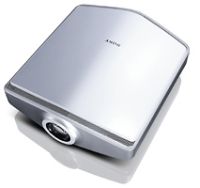
High Definition Projectors

High Definition ProjectorsEverywhere you turn these days, you see HD media. TVs, computer screens, and even projectors. Yes, high definition projector rentals are all the rage! An HD projector features a resolution of 1920 x 1080 and has full 1080p high definition. What does this mean? It means an HD projector looks amazing compared to your standard, every-day projector with an 800 x 600 resolution. If you're considering renting or buying an HD projector, there are a few things to keep in mind.

First of all, you'll want to look at the projector's performance. You want any projector you invest time and money into to have excellent sharpness and clarity. When compared to a non-HD image, the HD projector will always win when it comes to picture quality, but there are some HD projectors that can't handle a good HD image and in that event, the image will appear soft, blurry, or cloudy. Images from quality HD projectors can be compared to those of HD DVD, Blu-ray, or other HD technology.

You'll also want to look at the projector's de-interlacing capability. If your projector's de-interlacing capability is poor, you'll have flickering and motion artifacts. Any quality projector will only project a solid, stable, image.

Lumen output is important for having a brighter picture. If you want to use your projector in a well-lit room, you'll need one with higher lumens to avoid a dull, transparent-looking image. Contrast ratio, which measures the brightest white to the darkest black, is also important. The higher the contrast ratio, the bigger the difference and the more realistic your image will look. This is great for dark scenes and vibrant colors. In addition, black levels, which refer to how rich the blacks will be, are important. Lower black levels can turn black images gray.

Some projectors have loud fans and that may not seem like that big of a deal but when your projector is running in a quiet room, that fan can seem even louder. If a projector is used at its maximum settings, the lamp will require more cooling, sending the fan into high-gear. Most people don't consider this when looking into a projector, but it's something you'll want to test when making a purchase.

Other things to consider: zoom lens, lens shift, connectivity, compatibility, warranty, and definitely where the projector fits into your budget. If you consider all of these factors when renting or buying a new projector, you'll find that a HD projector will not only meet, but exceed your expectations.


Looking for an Affordable LCD Projector Rental then call 800-736-8772 today. Ask about the newest type of projector whose appeal is "all in the mirrors" and see if a DLP Projector Rental is right for you.

Wednesday, March 4, 2009

10 Great Tips for Using a Projector

10 Great Tips for Using a Projector


1. Handle with Care. Try not to move the projector while it's on. Many projectors and their parts are sensitive to movement, especially the lamp. One wrong move can damage your equipment and even cause it to crash.

2. Turn your projector off before connecting cables. The signal cable carries a current and if your projector is on when the cable is connected, the difference in the current can damage your projector or burn out the lamp.


3. Leave the projector plugged in for at least three minutes. After you turn your projector off, it's still pretty hot and the fan will run to cool the lamp off. If you unplug it, the fan stops, and not allowing the lamp to cool can make its life shorter and even damage it.


4. Use economy mode when possible. Any projector with over 2,000 lumens usually has economy mode. This simply means you can lower the brightness to save power and lengthen the life of your lamp when your event does not require full brightness.


5. Keep your lens clean. After a while, dust build up can effect the quality of your projector. Use a microfiber cloth to keep your lens cleaned on a regular basis.


6. Use the projector is suitable conditions. This simply means don't use the projector in too hot or too cold temperatures, or in excessively dusty or moist areas.


7. Keep your filter clean. If your projector has a dust filter and it has been in use for a while, dust can build up and block the filter, which can ultimately effect cooling. Keeping your filter clean will keep everything running smoothly.


8. Store your projector properly. Keep your projector in a cool, dry place and make sure it is safe from dust build-up.


9. Wait for the projector to warm up. It can take 30-90 seconds for your projector to warm up and display an image so make sure you give it ample time before getting started with your presentation.


10. Get the right amount of lumens. If you are not sure about how many lumens you want, you'll have to decide how large the area where you are using the projector is to be sure. Most practical projectors are 1,000-2,000 lumens. If you're audience is less than 100 people, you probably don't want to go over 3,000 lumens, but for over 100, you'll probably want to look into 5,000 lumens. If you're planning an extra large event, such as a conference or convention, you may want 6,000 or more lumens.

Monday, August 18, 2008

Projector Tips for PC Gaming

Gaming ProjectorsPeople have been playing video games on computers since before consoles where even invented. Today PC's are the top choice for gaming enthusiasts and casual players alike. However, those who are looking for the best possible gaming experience are turning to projectors for high definition, high resolution, immersive displays for their personal computers. For those of you wanting to purchase a projector and get the most out of your gaming experience, here are a few things to consider when looking at all the different projectors.

The first and foremost thing to consider when looking at projectors is the inherent video delay that will come with every projector. The transmission of the video signal is not instantaneous and there can be a brief and sometimes noticeable delay between the time a video signal reaches the projector and the time it is displayed on the screen. This is primarily caused by the projector having to scale a non-native resolution.

Many times users will not even notice any type of video delay when not playing games highly dependent on exact timing, such as World of Warcraft, Age of Empires or other non-fps type games. Even then, many popular first-person shooter games are not negatively impacted by video delays due to the actual delay being under 100 milliseconds. However if you are considering playing mutliplayer over the internet, video delay is something you should highly consider.

In online games there is a side effect of network play known as lag, which is caused by the delay of computers communicating with one another. One thing to note is that network lag will be far more noticeable than video lag, but if you purchase a projector that doesn't fare well in response times your multiplayer experience may not be the most enjoyable due to combined video and network lag.

If the video delay is starting to turn you off from projectors, don't sweat it. There is an easy way to completely eliminate or greatly reduce the inherent video delay. This is accomplished by simply sending the projector a signal that does not need to be re-scaled. In other words, if you have a 1280x800 resolution projector, perfect in-game video resolutions would be 1280x800, 1280x768, 720p resolutions, and XGA resolutions - all without needing to perform any re-scaling and keeping video delay to a minimum.

Apart from the usual concerns about contrast ratio, color, and lumen output, video delay should be the number one priority when looking at projectors for gaming as video delay could make or break the projector. When looking at projectors for gaming the most important aspects to look at will be native resolution, as you will be wanting to send a native signal whenever possible and the native resolution will dictate which in-game settings to use, and regular projector refresh rates.

Source: Pojector Central

Friday, June 27, 2008

Projectors Tips for Classrooms

Projectors in the ClassroomThese days as technology continues to expand and projectors become cheaper, many classrooms and auditoriums are starting to buy projectors for educational purposes. Projectors are ideal to have in the classroom as they are the most versatile when compared to chalk boards and white boards. Because most schools constantly find themselves on a tight budget or short on funds, we'd like to give you a few tips to give you're projector the best bang for your dollar.
First off, for use in a classroom you are going to need a bright, high-contrast projector that everybody in the room is going to see. The typical ANSI lumens recommended for a K-12 classroom is 800-1500, for universities and auditoriums you would want something around 2000-2500 lumens. When looking for the ideal contrast ratio needed for your classroom, it all depends on what you will be using your projector for. A contrast ratio of 500:1 is plenty if you are simply displaying text documents, power point presentations, or other static image data. However if you are going to be displaying video content, you are going to want something with a much higher contrast ratio.

The next thing you are going to want to consider for your projector is the resolution. Obviously it would be a waste of money to buy a full 1080p projector for use in a classroom, but just what is a good resolution? The typical SVGA (800x600) resolution is perfect for nearly all K-12 classrooms and will save you money when compared to buying higher resolution XGA or SXGA projectors. Also buying higher resolution projectors will less light output for the same price.

You should also consider the weight of the projector you are looking to buy. Some projectors weigh as little as 5 pounds, and while extremely convenient these come at an additional price. For classroom use, unless you plan to constantly move your projector, a heavier and bulkier projector will work just as well and can be less expensive. Selecting a projector that weighs about 20 lbs will give you reasonable portability and will save you money compared to the much lighter designs.

You should also pay attention to the bulb life of the projector you are looking at buying. Projector bulbs can cost upwards of $200 to replace and most projectors have a bulb life of about 3,000 hours. It may also be beneficial to run your projector in economy mode to preserve bulb life.

Short term Projector Rentals are also great for classroom-like settings where you are traveling to give a presentation in a conference room or auditorium.

Thursday, June 12, 2008

Sports Bar and Restaurant Projector Tips

Sports bars and restaurants have always been a place where people go to relax and enjoy a sports game live on a big screen. Big screen bring excitement to local bars and apart from other establishments who have several small screens where many people have to strain their eyes just to see.
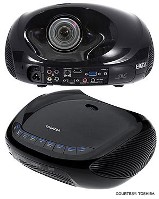
One of the best options to bring the big screen to a sports bar today is a projector. Projectors are sleek, lightweight, easy to install, and project stunning native 1080p high definition video. Here are some easy and quick tips to help install a new projector in your bar or restaurant.


Projector Resolution

There is not a whole lot of options as far as aspect ratio's. You can choose between the cost effective 4:3 resolution projector or the high quality 1080p widescreen 16:9 HD projector. When you are choosing for projects like this we recommend never going any lower than an XGA 1024x768 standard 4:3 resolution. At this level you are looking at a decent picture at an extreme low cost. If you go any smaller resolution will start to produce a grainy image.

For people looking for top quality, you will want a HD 1920x1080p resolution projector. These kinds of projectors create truly a stunning image. Prices are also going down on HD projectors due to the market becoming very competitive.

Projector Brightness

One of the most important things to consider in your primary viewing areas is the amount of lighting that is in that area. A good thing to look at when looking for a place to put your projector is a place that had controlled lighting. Controlled lighting will save you money and space. If you are capable of dimming your viewing area when you want to project an image, you won't have to purchase a super bright projector which will cost more and be larger in size.

When thinking of screen size make sure to properly light it with the correct amount of lumens. For screens smaller than 80 inches diagonal, 1000-2000 lumens is recommended. For screens that are 80-120 inches diagonal, 2000-35000 would be adequate, and 120 inches + would need a projector that has 3500 or more lumens. Of course you would need to take in consideration the ambient light of the room, which is why a controllable light source makes things so much easier.

Smoking Rooms

If your business if going to allow smoking indoors make sure to pay special attention to what type of projector you are buying because some manufacturers may not honor the warranty in a smoky environment as sometimes smoke may cause damage to the system. Your best choice is to buy a DLP projector as they are more resistant to smoke damage.

Another thing to keep in mind is that a white projector screen can sometimes become stained from constant smoke exposure which can then distort the color of your projected image. Your best bet is to either project on a grey screen or on a wall if possible.

Thursday, May 1, 2008

New Projector Technologies

New Projector Technologies - DVD IntegrationNew Projector Technologies are Now Available For Use In Projector Rentals
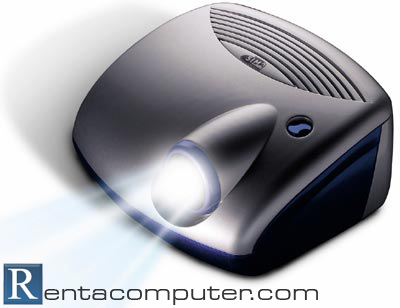
  • DVD, HD-DVD, and Blu Ray players are currently being integrated straight into traditional LCD projectors. These technologies are now available and widely used during conventions, tradeshows, conferences and events for their enhanced picture quality and overall ability to attract large audiences.

  • New Wireless Projectors are using 802.11g Technology which allow a computer user to wirelessly connect to PDA's, laptops, and computers, and display information from these computers onto a video or projector screen. This technology also has the ability to connect with one PC to many Projectors, and many computers to one projector offering a wide variety of display and presentation techniques.

  • Large Venue Projectors are now available for cases when large audiences and venue sizes demand the most powerful projectors on the market. When displaying an image to a large audiences, on average it is recommended that a projector display 4500 to 25000 Lumens, depending on the magnitude, scale, and setting of your presentation.

If interested, all of these technologies listed above are also available in a Projector Rental.

Thursday, April 24, 2008

High Definition Projectors - 1080p

1080p High Definition ProjectorsProjectors are now following the latest trends of High Definition Media and many HD projectors are now available to the consumer at prices previously unheard of. High Definition projectors feature a resolution of 1920x1080 and all bring with it Full High Definition 1080p meaning they will look amazing when compared to a standard 800x600 SVGA projector.

When looking to buy a high definition projector, there are many various performance features and characteristics you should consider.

The first and most important aspect of a projector that everyone will notice the instant you power it up is the Sharpness and Clarity of High Definition Images. Something that must be taken into consideration is that it will be hard to compare image quality unless the source is from a 1080p format such as HD DVD, Blu-ray, or other equivalent. If a standard non-HD image is used for comparison, it will be nearly impossible to tell the difference between HD projectors. A HD projector that cannot fully handle a HD image will have an apparent softness, and the image will have a slightly blurry or cloudy look to it as well as display digital noise.

Other characteristics of a projector that should be considered before purchase is the Contrast Ratio, Lumen Output, Deinterlacing, Black Level, Zoom lens, Lens shift, Connectivity and Compatibility, Audible fan noise, warranty, and of course the price.

By taking all of these 1080p High Definition Projector Tips into consideration, and determining which features are most important to you, then you will will be completely satisfied with whatever purchase you decide to make.


Looking for a Projector Rental for your next event? Then call 800-736-8772 today.

Wednesday, March 26, 2008

5 Projector Usage Tips

Projector Usage TipsHere are a few tips to help keep your projector running at its best.

1. Have your equipment powered down before connecting any cables. A signal cable carries a current while powered on and a sudden difference in electrical current can potentially burn out the projector lamp or cause other damage to projector components.

2. Use economy mode whenever possible. If your using a projector that has over 2000 lumens (a term used to describe the brightness of the projector), it usually has some sort of economy mode. If the event does not require full projector brightness use this mode to extend lamp life. Economy mode will lower the amount of lumens to save power and lengthen lamp life.

3. Avoid moving the projector as much as possible while it is powered on. The lamp, along with various other projector components, are sensitive to shakes or bumps. Any significant trauma could damage the projector and or lamp.

4. Do not unplug the projector after powering down. The cooling fan will continue to run in order to cool the lamp after shutting down the projector. It is recommended to keep it plugged in for at least another 3 minutes, doing otherwise could shorten the lamp's life or even damage the lamp.

5. Clean your projector. Dust is the bane of projectors when allowed to collect in the filter or on the lens. A microfiber cloth works well for cleaning the lens. If dust collects on the filter it will block the filter and decrease air flow which can affect the projector's cooling and can shorten lamp life.

You will have noticed in these tips that we pay special attention to preserving the life of the lamp. The reason for this is because the lamp is the most crucial part of the projector, and as such, is the most expensive component to replace. Projector costs have gone down significantly in the past few years, but replacement lamps have not. Lamps can cost up to $400 so you can see why it might be important to conserve as much lamp life as possible.